ChatGPT up close: the features engineers leave switched off
Projects, memory, canvas, deep research, agent and connectors in ChatGPT: what each one does, where it breaks, and what to turn on this week.
I use ChatGPT every day. What am I missing?
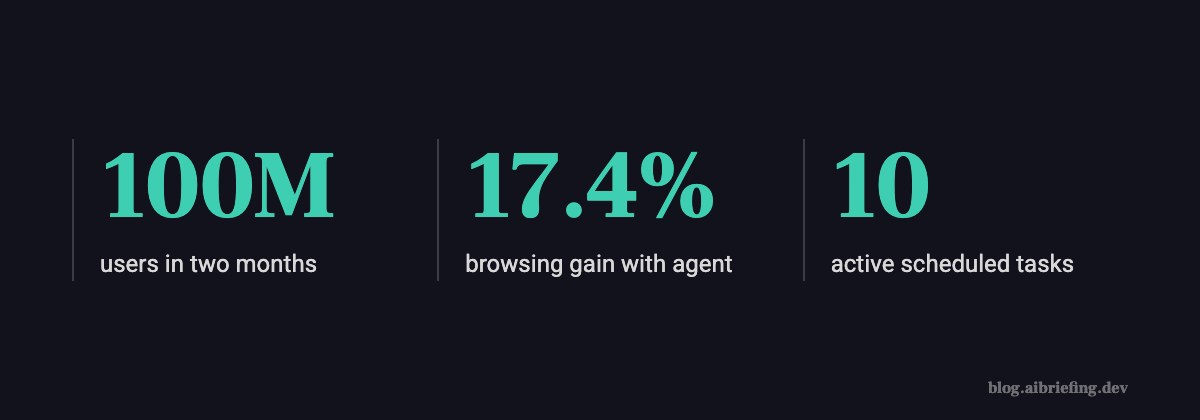
ChatGPT reached 100 million users in two months after it launched in November 2022. Most engineers I know still use it the way they did in week one: new window, prompt, copy-paste, close.
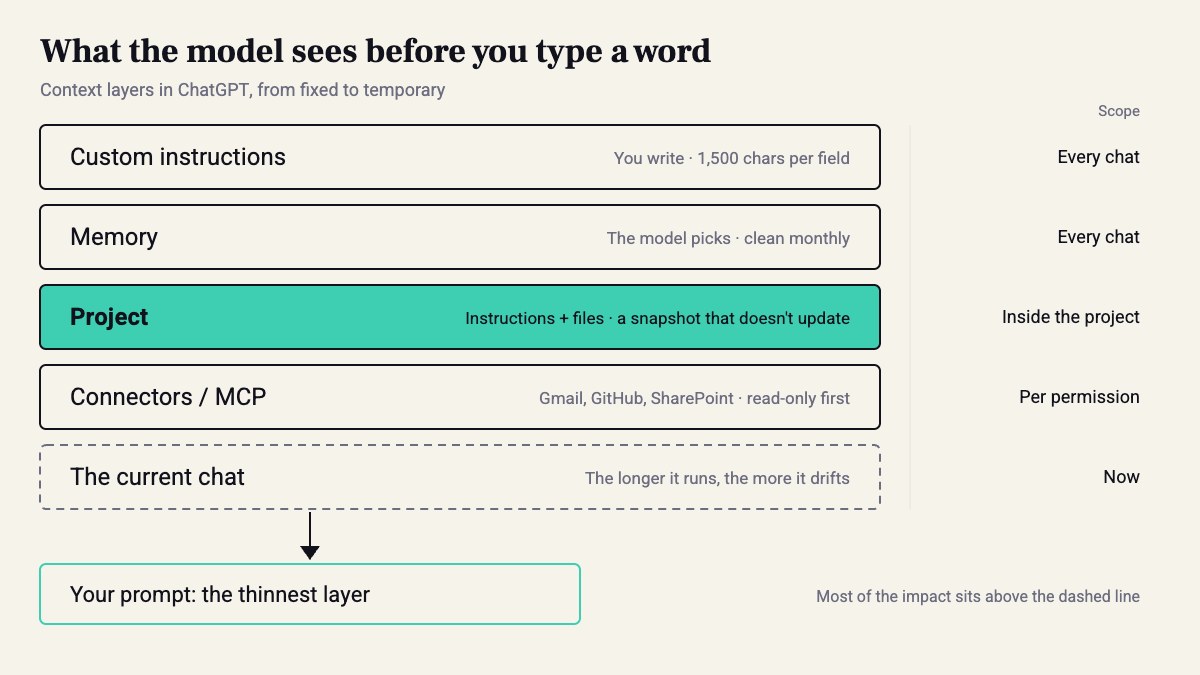
Meanwhile, a whole system has grown around that window. There are standing instructions, memory, Projects with files, canvas, deep research, an agent with its own computer, connectors, and scheduled tasks. Each of these features answers one of two questions: what the model sees before you type a word, and what it’s allowed to touch. It’s the harness we covered in the earlier parts, in its consumer version.
Do this: open Settings → Personalization and check what’s turned on and what’s written there. Most people find surprises.
Custom instructions vs. memory: what goes where?
You write custom instructions. Memory is what the model decides to remember about you from your chats. The first stays fixed. The second doesn’t. Custom instructions have two fields, up to 1,500 characters each. Next to them is Characteristics, which sets warmth, enthusiasm, formatting, and emoji.
Put only what doesn’t change in the instructions: your stack, language, length, and what not to do. Open memory once a month and delete whatever is no longer true. A memory that still holds a client’s stack from a year ago will push it into every answer.
I'm a backend engineer. Python 3.12, FastAPI, Postgres 16, AWS (ECS, Lambda), Terraform.Reply in Hebrew, technical terms in English.Code: code first, then a two-line explanation. No preamble.If you're not sure about an API or a flag, say so. Don't make it up.Don't suggest a new library unless I ask.
Projects: why not one long chat?
Because long chats drift. Each new message builds on everything before it, mistakes included. A Project gives one topic fixed instructions and files, with clean chats inside it.
Here’s how that looks in practice. Make a Project per repo or client. Add the README, the DB schema, and an ADR or two, plus an instruction like “always assume Postgres 16 and Terraform 1.9”. Then start a fresh chat for each task.
The limitation: the files are a snapshot. They don’t sync from the repo, and after a month they’re lying to you. Set a reminder to replace them, or move to the GitHub connector.
Canvas: when does it beat a plain chat answer?
When you’re editing, not asking. Canvas opens a document or code file on the side. You can highlight a line and ask for a change to just that line. Without it, the model rewrites 200 lines and changes three you didn’t ask about along the way.
It works for a design doc, a README, or a 100–300 line script. It doesn’t work for a real project: there are no tests, no git, and no diff against your code. That’s what Codex is for, which we covered in part one.
Do this: write your next RFC in canvas and ask it to shorten only the sections you highlighted. You’ll see quickly whether it can really make targeted edits.
Is deep research worth the wait?
Sometimes. Deep research shipped in February 2025, and OpenAI said a report takes 5 to 30 minutes. It reads dozens of sources and returns a report with citations.
It’s great for a question like “compare three managed vector DBs on price per 10M vectors and SLA”. It’s a waste of time for a question with one answer in the docs.
The problem: the report sounds authoritative even when one source is wrong. So here’s a simple rule. Before anything from the report goes into a doc, open the three most important citations by hand and check they say what the report claims. One bad one is enough to matter.
Is agent mode still around, and what does it actually do?
The first question isn’t trivial anymore. Agent mode launched on July 17, 2025 for Plus, Pro, and Team. It’s a virtual computer that combines Operator, from January 2025, with deep research. It browses, clicks, runs code, and hands back a slide deck or a spreadsheet. According to Coursiv in August 2026, OpenAI’s help page now says the old Agent mode is unavailable and points to ChatGPT Work and cloud browser workflows. Check what shows up under Tools in your account, or try /agent. The mechanism is still there, and so is the promise:
“ChatGPT requests permission before taking actions of consequence, and you can easily interrupt, take over the browser, or stop tasks at any point.” — OpenAI, Introducing ChatGPT agent
Still, approval before every step doesn’t replace a good brief. Coursiv put it well: no logins, no contacting anyone, no submitting forms, and stop when sources conflict.

Can I connect my own MCP server?
Yes, with an asterisk. There are built-in connectors for Gmail, Google Calendar, GitHub, Dropbox, SharePoint, and Canva. In September 2025 OpenAI opened developer mode, which lets you connect your own MCP server. The Apps SDK from DevDay 2025 is built on MCP. So the same server you wrote for Claude Code can serve ChatGPT too.
The asterisk: a connector with write access is an agent with a key to your house. In the previous part, with Grok Bot, we saw what happens when all the bots share cookies. Same rule here: a dedicated account, minimal scope, and read-only until proven otherwise.
Caveat: I don’t connect a write-enabled connector to a work repo or work inbox. It’s not that it doesn’t work. A prompt injection in a page it read can turn “summarize this” into “send this”. Read-only covers most of what I need.
Scheduled tasks: toy or tool?
Boring, and good. Tasks launched in beta in January 2025. You set something like “every Sunday at 08:00, summarize this week’s release notes for FastAPI, Pydantic, and SQLAlchemy” and get a notification. There’s a cap of 10 active tasks, which is enough.
Where it breaks: you have no eval. If a source changes its layout, you get an empty or made-up summary, and you find out three weeks later.
Do this: end every scheduled task with a fixed line, “Sources I checked: X, Y, Z”. If that line is missing or too short, something broke. It’s a poor man’s checksum.
What shipped at DevDay 2026, and what to do this week
On September 29, 2026, OpenAI published three things on the same day: the DevDay 2026 Recap, GPT-6.1 Sol with a separate safety addendum, and a new product called dots. I won’t tell you what dots does based on a headline on a news page. Read the recap yourself.
Meanwhile, there’s work you can do without waiting for anyone. Paste the instructions from the block above. Open one Project for the repo you’re working on. Give the agent one closed task with a stop condition. After a week, count how many answers you didn’t have to fix. That’s the only number that matters.
Sources
- ChatGPT | OpenAI Help Center
- Introducing ChatGPT agent: bridging research and action
- OpenAI News
- Who Invented ChatGPT? (It Wasn't One Person)
- What is a ChatGPT Agent and How Can I Use It | Pluralsight
- How to Use ChatGPT’s Agent Mode (and Why It Changes What AI Can Do for You)
- Understanding ChatGPT Agent Mode | Coursiv Blog
How this was made: drafted by our agent from 7 sources, edited and approved by Koby Almog.