Codex up close: what OpenAI actually installs on your machine
OpenAI Codex in late 2026: CLI, cloud, IDE and mobile. What it does well, what it costs, and how it compares to Claude Code day to day.
On September 1, 2026, Simon Willison did what we all do every six months. He opened OmniDiskSweeper to see what was eating his disk. Inside ~/.cache/ he found a folder called codex-primary-runtime, 1.7GB. Inside were a full Python, a full Node.js, git, Poppler and a complete copy of LibreOffice. All of it had been installed quietly along with the Codex desktop app, which has since renamed itself to plain ChatGPT.
That folder shows where Codex stands today. The CLI shipped in April 2025 as a small terminal tool. A year and a half later, OpenAI installs a whole runtime on your machine so the agent can open a spreadsheet, read a PDF and run tests without asking what you have installed. The numbers: more than 3 million developers a week in April, and more than 4 million in May. This is no longer an experiment.
In the first part of this series we look at what’s actually in there, what it costs, and how it compares to Claude Code day to day.
What Codex is in late 2026, and what it isn’t
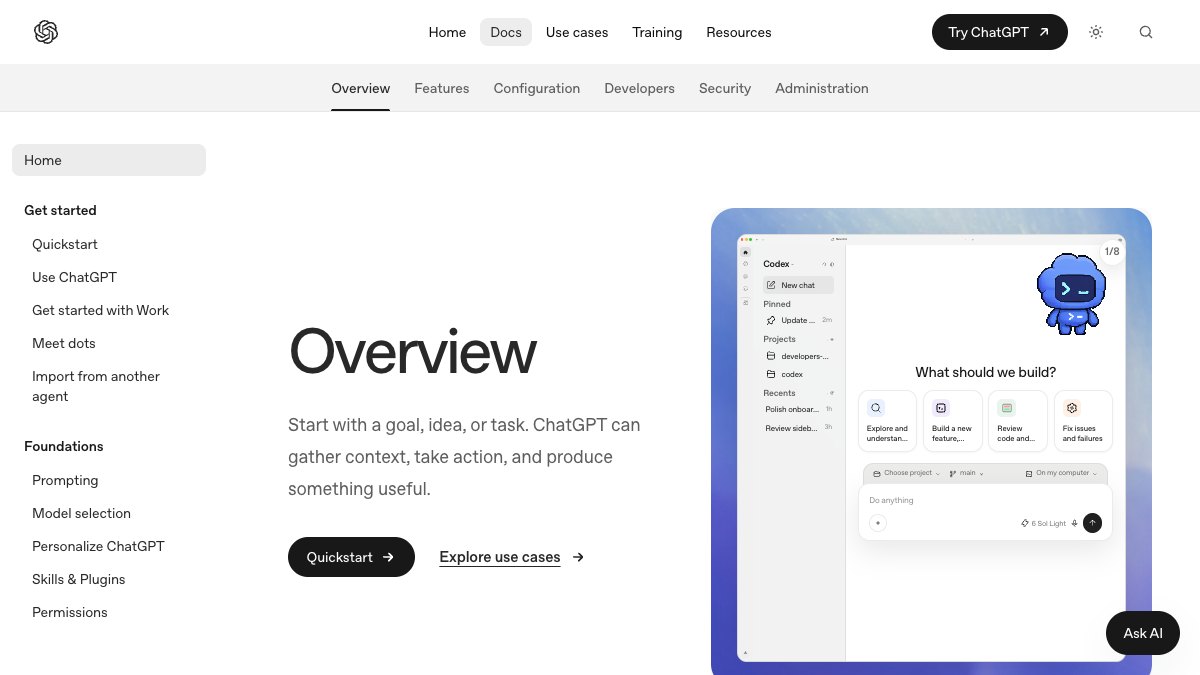
Codex is one agent with five entry points, all tied to your ChatGPT account. There’s an open-source CLI (Apache 2.0, at github.com/openai/codex) and an IDE extension (VS Code and its family). There’s a desktop app for Mac and Windows. There’s Codex in the cloud at chatgpt.com/codex, with a persistent environment per repo. And since May 14 there’s a mobile app. A session you started in the terminal shows up on your phone, and an agent running in the cloud keeps working after you close the laptop.
What it isn’t: it’s not the 2021 Codex model that powered the first Copilot. Same name, completely different product, because OpenAI recycles names. It’s not an IDE like Cursor either. And it’s not a pay-per-token API product, at least not by default. Codex is included in your ChatGPT subscription, and an API key is an option, not the main path.
Hands on: what you see when you install it
Installing the CLI takes a minute:
npm i -g @openai/codex # or: brew install --cask codexcodex # TUI, sign in with ChatGPTcodex exec "run the tests and fix what fails" # headless, for CIcodex resume # back to a previous sessionOn first run it asks whether to trust the folder and shows which permission mode it’s running in. From there you work with slash commands. /init writes AGENTS.md, the project instructions file. /model picks the model and reasoning level. /review goes over the current diff like a reviewer. /approvals sets when it stops to ask, and /status shows how much quota you have left.
Most of the important decisions go in one file:
model = "gpt-5.3-codex"model_reasoning_effort = "medium"approval_policy = "on-request"sandbox_mode = "workspace-write"
[sandbox_workspace_write]network_access = false
[mcp_servers.github]command = "npx"args = ["-y", "@modelcontextprotocol/server-github"]
The line most worth understanding is sandbox_mode. In workspace-write it writes only inside the repo, with no network. That’s an OS-level sandbox, not a polite request in the prompt. Leave it that way, and open the network only for a task that really needs it.
The cloud flow is different. You connect a repo, define an environment (setup script and environment variables), and send a task from the browser or your phone. On GitHub you can write @codex review in a PR comment and get an automatic review. That’s how most teams start, and they’re right to.

The numbers: what it costs and where the quota runs out
Codex is included in ChatGPT. Plus is $20 a month and Pro is $200, and organizations get Business and Enterprise. There’s no separate price for Codex, and OpenAI doesn’t publish a fixed message count either. The quota depends on task size and resets in time windows. A cloud task burns more of it than a small local edit. In practice, /status is the only source you can trust.
The models:
- GPT-5.3-Codex (February 5, 2026): OpenAI says it’s 25% faster than 5.2-Codex. It set records on SWE-Bench Pro and Terminal-Bench 2.0, using fewer tokens per task. Those are their numbers, on benchmarks they chose.
- GPT-5.3-Codex-Spark (February 12): a small model running on Cerebras hardware. It outputs more than 1,000 tokens per second, with a 128k context, text only. It’s a research preview for Pro subscribers, with its own quota that doesn’t count against the regular one.
Two more numbers, less serious. 1.7GB on disk for the desktop app. And $230 for Codex Micro, a keyboard launched with Work Louder in July. It has a rotary knob for reasoning level and RGB lights that show which agent is thinking and which one is waiting for you. It sold out. Yes.
Where it’s actually strong
First, long unattended work. OpenAI showed GPT-5.3-Codex building games from scratch over millions of tokens, with generic prompts like “fix the bug”. In real work that means you can send it an hour-long refactor in the cloud and come back to a result.
Second, code review. This is where the evidence is most specific. Duolingo says it was the only one to catch backward-compatibility issues in their internal Python code review benchmark. Ramp says its reviews catch bugs the team would have missed. And Israel’s Wonderful went furthest:
“At Wonderful, Codex CLI has completely replaced every other agentic harness for our core technology and architecture work requiring deep reasoning and understanding.” — Daniel Sikorskiy, Chief Architect, Wonderful (openai.com/codex)
Then there’s everything around it. The sandbox is on by default, and the CLI code is readable. You approve commands from your phone through a relay that doesn’t expose your machine to the internet. Since April 16 there’s also background computer use, a built-in browser you can annotate directly on the page, and more than 90 new plugins (Atlassian Rovo, CircleCI, CodeRabbit, GitLab Issues, Neon, Render and more).
Where it falls short
First, the naming. Codex is a model, a CLI, an app (now called ChatGPT), a cloud agent, a security product (Codex Security, March 2026) and a keyboard. Try explaining to your security team what exactly you approved.
The quota is opaque. Without a published number it’s hard to plan team work. If you run several agents in parallel, you’ll find the limit in the middle of the day, not in the docs.
The new features lean heavily toward Mac. OpenAI describes background computer use as working “on your Mac”, SSH devbox connections are still alpha, and Spark is Pro-only. And by OpenAI’s own account, Spark makes minimal edits and doesn’t run tests unless you ask. So it’s fast, but checking the work is back on you.
And the app installs a 1.7GB runtime without asking. For a solo developer that’s a nitpick. On a managed corporate machine it’s an extra Python and Node that IT doesn’t know about.
Caveat: Every benchmark in this post was published by OpenAI about its own models. I don’t buy “new record” without running it on my own repo, and I suggest you don’t either. The customer quotes are more interesting, but they also sit on a marketing page.
Codex vs Claude Code, day to day
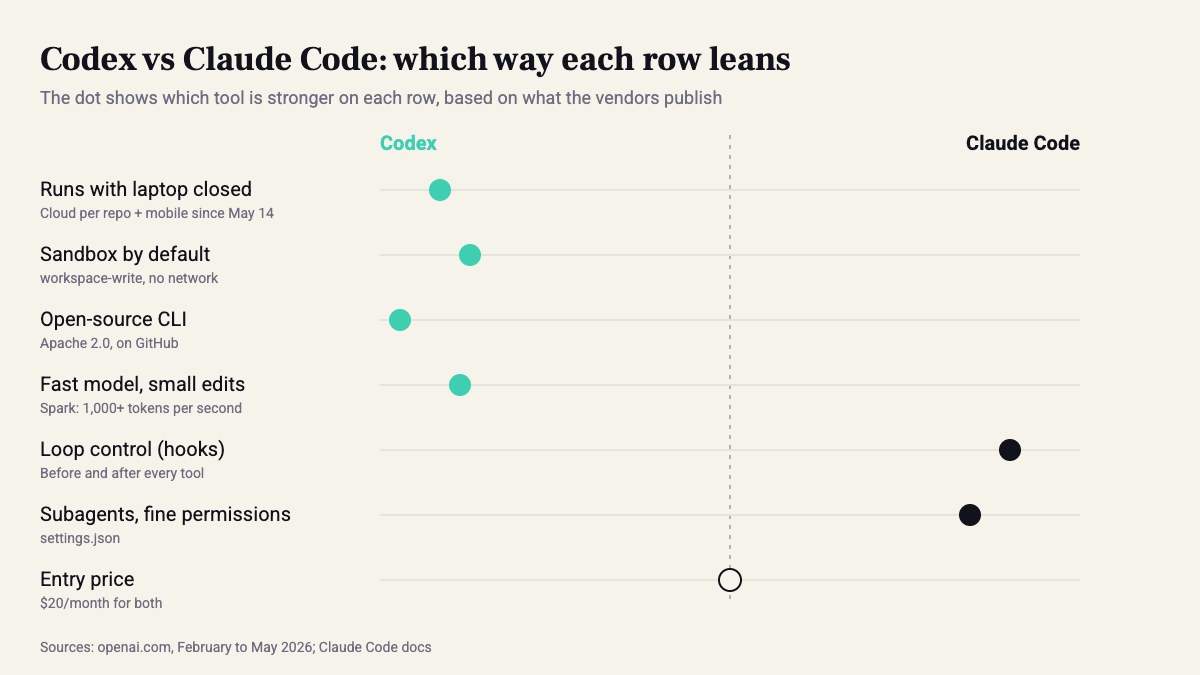
On paper they’re nearly the same. Both are terminal agents, both read a project instructions file and speak MCP. Both have a headless mode (codex exec vs. claude -p), and both start at $20 a month. The differences show up after a week of work.
So where exactly? Codex is strong at everything that happens when you’re away from the computer: cloud, mobile and a sandbox you don’t have to configure. Anthropic has Claude Code in the browser too. But in Codex, the cloud, mobile and GitHub review are one product running from the same account. Claude Code is strong at controlling the loop itself. It has hooks that run before and after every tool, subagents, and fine-grained permissions in settings.json. Want every edit to pass a linter before the agent continues? In Claude Code that’s one hook. In Codex it’s still more an instruction in AGENTS.md than enforcement.
A small tip if you run both on the same repo. Codex reads AGENTS.md and Claude Code reads CLAUDE.md. Keep one file and run ln -s AGENTS.md CLAUDE.md, or within two weeks you’ll have two different versions of your instructions.
Who should pick it this quarter
If your team already has ChatGPT, trying Codex costs you nothing. There’s no reason not to turn on @codex review for one repo this week. If most of your work is long fire-and-forget tasks, or you want to approve commands from your phone, it’s currently the more polished product. And if you’ve built a workflow on hooks and subagents in Claude Code, nothing here is a reason to switch. Run both side by side and see.
What to do this week:
- Run
npm i -g @openai/codexand thencodexon a real repo, on a separate branch. - Take one failing test and run the same prompt through
codex execandclaude -p. Measure time, diff size, and how many times you had to step in. - Turn on
@codex reviewfor one repo for two weeks, and count how many comments were real bugs and how many were noise. - Open
~/.codex/config.tomland make surenetwork_access = falsestays the default.
In the end, the winner is the tool whose output your tests catch fewer mistakes in. The benchmark matters less.
Sources
- Codex | AI Coding Partner from OpenAI
- ChatGPT | ChatGPT Learn
- GPT-5.3-Codex · 2026-02-05
- Codex for almost everything · 2026-04-16
- GPT‑5.3‑Codex‑Spark · 2026-02-12
- The ChatGPT/Codex app bundles a full copy of LibreOffice · 2026-09-01
- Codex is now in the ChatGPT mobile app · 2026-05-14
- Codex Micro · 2026-07-15
- OpenAI Codex (AI agent) - Wikipedia
How this was made: drafted by our agent from 9 sources, edited and approved by Koby Almog.