Claude Code in practice, part 2: hooks, MCP and skills, and what goes where
CLAUDE.md says what's required, a skill says how, MCP what's possible, a hook enforces. A PreToolUse block on main, auto-formatting, MCP, a first SKILL.md.
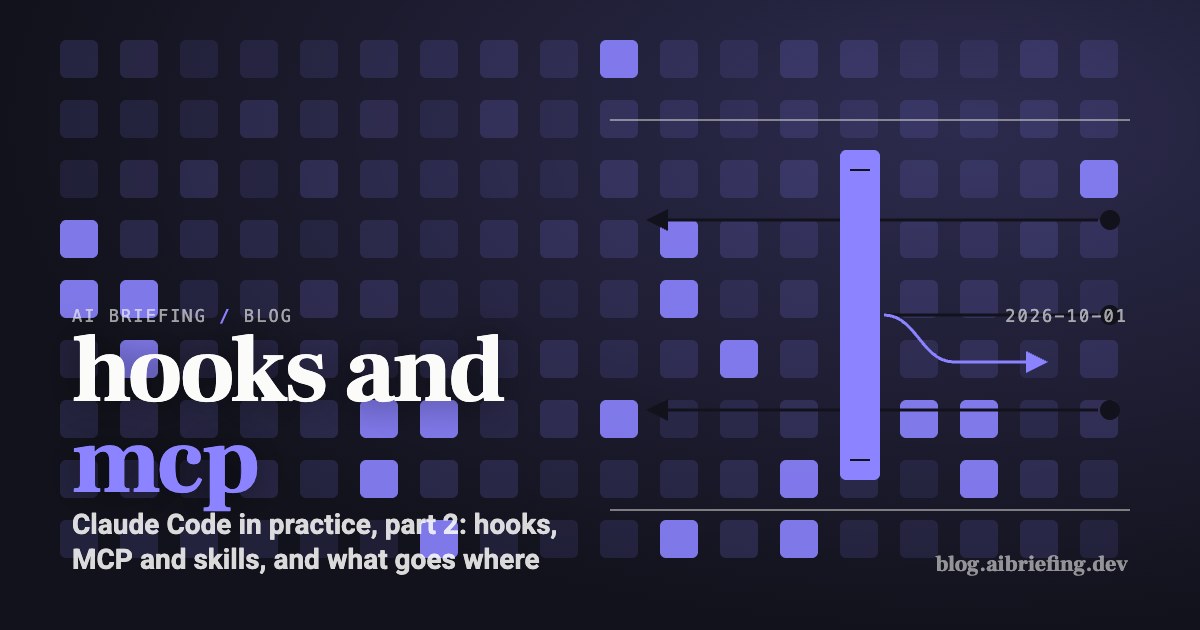
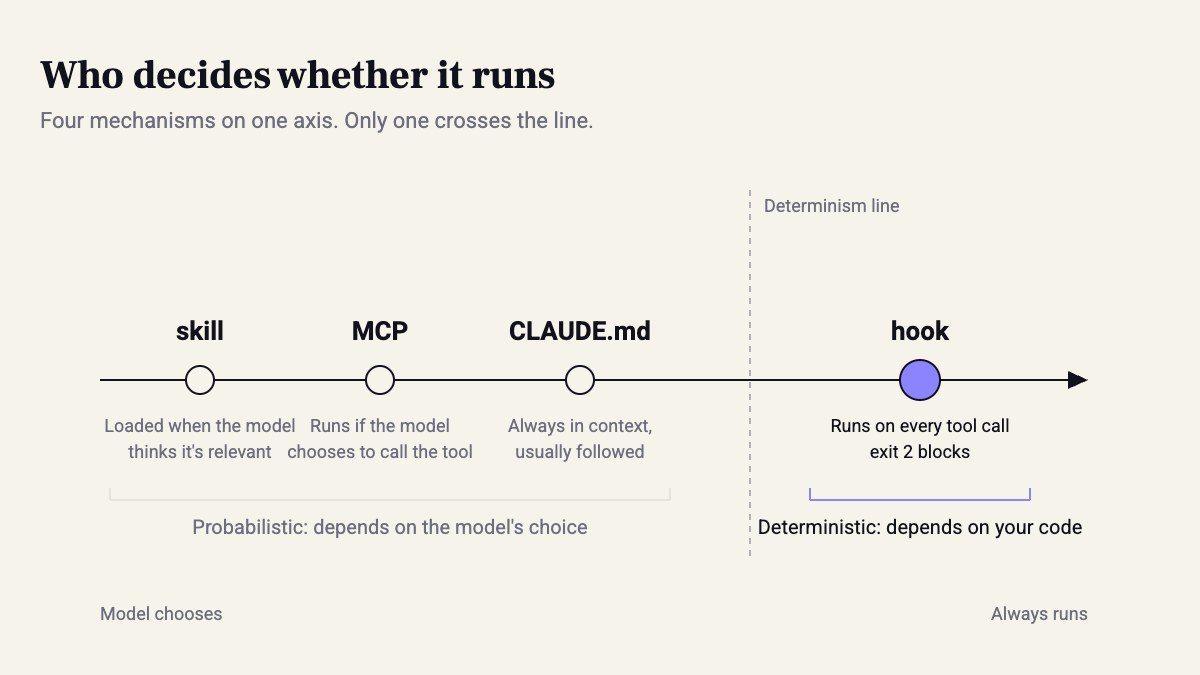
1 out of 4. That’s the number to remember from this part. Claude Code has four mechanisms that steer it: CLAUDE.md, skills, MCP and hooks. Three of them work only if the model decides to use them. The fourth runs even when the model forgot.
On May 6, 2026, Speakeasy counted four agents that already expose hooks. Claude Code was first, followed by Cursor, Codex and VS Code Copilot, all with almost the same shape. When four vendors converge on the same API, it’s no longer one product’s feature. It’s a mechanism worth knowing.
In the previous part we moved every NEVER from CLAUDE.md to a deny in settings.json. This part picks up from there. What do you do with a rule that deny can’t express? How do you connect an external tool? And what do you do when a paragraph in CLAUDE.md grows into a full procedure?
Rule, procedure, capability, enforcement
Antonio Cortés broke these concepts down in a February 2026 post. I’ll shorten it to one line: rules say what’s required, skills say how, MCP says what’s possible, hooks enforce.
| Mechanism | Where it lives | Who decides it happens | Context cost |
|---|---|---|---|
| CLAUDE.md | Repo root | Always loaded; the model decides whether to follow it | Every line, on every message |
| skill | .claude/skills/<name>/SKILL.md |
The model, or you with /name |
Only the description, until used |
| MCP | .mcp.json or claude mcp add |
The model, when it chooses to call the tool | The tool definitions |
| hook | hooks in settings.json |
Nobody. It runs on the event | Zero, unless it returns output |
The column that matters here is the third one. CLAUDE.md is always loaded, but following it is still the model’s call. A skill or an MCP tool runs only if the model picks it. A hook asks no one.
“Ask an agent to call a security tool through MCP, and it will… probably do it. Most of the time. When it remembers.”
— Corridor, What Are Hooks in AI Coding
Right. “Usually” is fine for code style. It isn’t fine for a push to main, and it isn’t fine for secret scanning.
And a hook isn’t just another place to write instructions. Per Anthropic’s docs, a handler can be a shell command, an HTTP endpoint, an MCP tool, a short prompt to a model, or a subagent. Once you put a model in there, you’re back to probabilities. I always start with a command.
PreToolUse: blocking commits to main
deny is binary: a command is either allowed or it isn’t. “No commits, but only on main” is a condition, and conditions are what PreToolUse is for.
Here’s how it works. Hooks run at three frequencies: once per session (SessionStart, SessionEnd), once per turn (UserPromptSubmit, Stop), and on every tool call (PreToolUse, PostToolUse). Before each tool call, Claude Code runs every hook whose matcher matches the tool name. It sends each one JSON on stdin with tool_name and tool_input. Exit 0, and the action goes ahead. Exit 2, and the action is blocked. Whatever you wrote to stderr goes back to Claude as the reason. Claude reads it and usually opens a branch on its own.
#!/usr/bin/env bash# PreToolUse, matcher: Bashinput=$(cat)cmd=$(echo "$input" | jq -r '.tool_input.command // ""')
if echo "$cmd" | grep -qE 'git (commit|push)'; then  branch=$(git -C "$CLAUDE_PROJECT_DIR" branch --show-current)  if [ "$branch" = "main" ]; then    echo "Blocked: no direct commit/push on main. Create a feature branch first." >&2    exit 2  fifiexit 0
After chmod +x, test it from the shell before you trust it:
echo '{"tool_input":{"command":"git commit -m x"}}' | CLAUDE_PROJECT_DIR=$PWD .claude/hooks/block-main-commit.sh; echo $?On main you should see 2. On any other branch, 0.


PostToolUse: a formatter after every edit
This one works the other way around. It doesn’t block anything up front; it fixes things after the edit. Set the matcher to Edit|Write. The file path is in tool_input.file_path, and you run prettier on it. In Python, swap in ruff format. In Go, gofmt. Here’s the file with both hooks:
{ "hooks": { "PreToolUse": [ { "matcher": "Bash", "hooks": [ { "type": "command", "command": "$CLAUDE_PROJECT_DIR/.claude/hooks/block-main-commit.sh" } ] } ], "PostToolUse": [ { "matcher": "Edit|Write", "hooks": [ { "type": "command", "command": "jq -r '.tool_input.file_path' | xargs -I {} npx prettier --write --ignore-unknown {}" } ] } ] }}With --ignore-unknown, prettier skips files it doesn’t recognize without complaining. After saving, run /hooks inside the session and check that both hooks are registered.
Why not just write “run prettier after every change” in CLAUDE.md? Because then it’s one more step the model has to remember, and it costs an extra tool call and more tokens. The hook does it without asking and without spending any tokens.
My take: Hooks are the cheapest investment you can make in Claude Code. Ten lines of bash replace a CLAUDE.md paragraph that the model misses every few days anyway. I’d start with the formatter, because it carries no risk.
MCP: when you keep pasting from another tool
Anthropic’s docs give a good rule of thumb. Connect an MCP server when you catch yourself pasting data into the chat from another tool, like an issue tracker or a monitoring dashboard. HTTP is the recommended transport for remote servers.
claude mcp add --transport http --scope project notion https://mcp.notion.com/mcpclaude mcp list--scope project writes the config to .mcp.json at the repo root. The file gets committed, so the whole team gets the same server. You do the actual login with /mcp inside the session.
This is where hooks and MCP meet. Claude sees MCP tools under names of the form mcp__<server>__<tool>. So a PreToolUse hook with the matcher mcp__notion__.* can log every call, or block the tools that write. Corridor recommends exactly this: a hook before every MCP call that enforces which servers are allowed. MCP gives the model a capability, and the hook decides what it’s allowed to do with it.
skill: when a CLAUDE.md paragraph turns into a procedure
The docs say it plainly. A skill fits when you keep pasting the same list of steps, or when a section of CLAUDE.md has turned from a fact into a procedure. The difference is cost. CLAUDE.md loads on every message. A skill’s body loads only when it’s used, so a long procedure costs almost nothing until you need it.
---name: db-migrationdescription: Use when creating or changing a database migration. Naming, rollback, and the check before opening a PR.---
1. File name: `YYYYMMDDHHMM_<what>.sql` in the `migrations/` directory.2. Every migration comes with a down. No down? Stop and ask.3. Run `make db-migrate && make db-rollback && make db-migrate` against the local DB.4. In the PR: one line about table locks, if the table has more than a million rows.
The description is the only part Claude sees all the time, so it should say when to use the skill, not what it does. “Use when creating a migration” works much better than “Database helper”. Claude triggers the skill on its own, or you invoke it directly with /db-migration. Claude Code skills are built on the open Agent Skills standard, so the same file works in other tools too. A few skills ship built in, like /code-review and /debug. Open them and read them before you write your own.
What to do this week
- Go through CLAUDE.md and tag every line as a fact, a procedure or a rule. Facts stay. Procedures move to a skill. A rule you can’t afford to miss moves to a hook or a deny.
- Add a PostToolUse hook with the project’s formatter. It’s the safest place to start.
- Add one PreToolUse hook for the rule that hurts you most: a commit to main, an edit to
.env, a migration without a down. - Test every hook from the shell with a pipe before it goes into settings.json. It should exit 2 when it needs to block and 0 when it doesn’t.
- Connect one MCP server, for the tool you copy from most, with
--scope project.
When it’s unclear where something goes, ask one question: what happens if Claude forgets it once? If the answer is “nothing”, it goes in CLAUDE.md. If the answer is an incident, it goes in a hook.
Sources
- Hooks reference - Claude Code Docs
- Connect Claude Code to tools via MCP - Claude Code Docs
- Extend Claude with skills - Claude Code Docs
- AI Coding Agents: Rules, Commands, Skills, MCP and Hooks Explained : AntonioCortes.com
- AI agent hooks: the interface for governing AI agents — Speakeasy
- What Are Hooks in AI Coding? | Corridor
How this was made: drafted by our agent from 6 sources, edited and approved by Koby Almog.