Claude Code in practice, part 4: in CI, exit 0 isn't success
claude-code-action, claude -p with JSON, and the Agent SDK: a workflow to copy, subscription vs API, cost caps, and five checks after every run.
The exit code of claude -p is the least useful thing your CI gets back. Zero means the process ended. It doesn’t mean the agent did anything.
Sounds pedantic? Claude Code went GA in May 2025. Within three months, according to Gergely Orosz at the Pragmatic Engineer, usage grew 10x and it passed $500M in annual run-rate. A tool that sits on every laptop on the team reaches the pipeline fast. Someone comments @claude fix the test on a PR, and a GitHub job runs an agent with write access to the repo. In the first three parts, Claude sat in front of you in the terminal and you approved or blocked each step. In this part it runs alone. What you still control is what you check after it finishes.
Three doors to the same agent
There are three ways to run Claude Code without a terminal. Under the hood they all run the same loop.
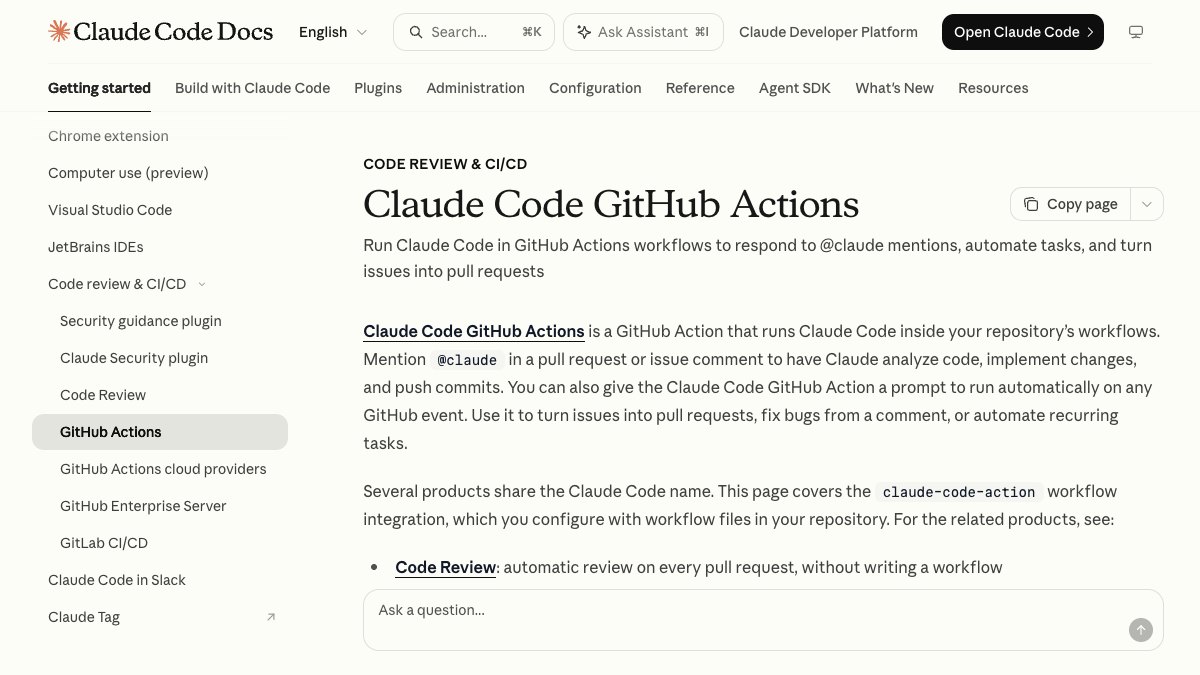
- claude-code-action: the official GitHub Action. You mention
@claudein a PR or issue comment, or give it a prompt that runs on every event. Anthropic says the Action is built on the Agent SDK. claude -p: the CLI’s headless mode. A prompt goes in, an answer comes out, no UI. This is what you run in GitLab, Jenkins, cron or any other runner.- Agent SDK: the same agent as a Python or TypeScript library, with tools, permissions, sessions and hooks.
To drive the same agent loop from a language other than Python or TypeScript, run the CLI as a subprocess with the
-pflag and--output-format json.— Anthropic, Agent SDK overview
So the rule is simple. On GitHub, start with the Action. In any other CI, use claude -p. Use the SDK only when your code needs to control the loop itself, for example to block a tool mid-run or to wire in an internal tool without standing up an MCP server. Don’t mix these up with Anthropic’s Code Review, which reviews every PR with no workflow at all, or with Claude Code on the web, which is a different product.
A minimal workflow for @claude
The short way: open claude in the repo and run /install-github-app. It installs the GitHub App, sets a secret and opens a PR with the workflow. You need gh logged in (gh auth login) and admin rights on the repo, and it only works against github.com. GitLab has its own guide.
I prefer the manual way, because you see every line before it lands. This is the workflow I’d copy:
name: claudeon: issue_comment: types: [created] pull_request_review_comment: types: [created]permissions: contents: write pull-requests: write issues: write id-token: writejobs: claude: if: contains(github.event.comment.body, '@claude') runs-on: ubuntu-latest timeout-minutes: 15 steps: - uses: actions/checkout@v4 - uses: anthropics/claude-code-action@v1 with: anthropic_api_key: ${{ secrets.ANTHROPIC_API_KEY }} claude_args: "--max-turns 10 --allowedTools Read,Grep,Glob,Edit,Bash(npm test:*)"Three lines here do most of the work. timeout-minutes: 15 is the real ceiling: even if Claude gets stuck in a loop, GitHub kills the job. --max-turns 10 stops the agent after ten turns. And --allowedTools defines what’s allowed, with Bash(npm test:*) instead of open Bash. One more thing: the input here is a PR comment, which is text someone else wrote. Make sure only users with write access can trigger it, and don’t run it on pull_request_target from forks when the job has secrets.

claude -p in a pipeline, and what comes back in JSON
Outside GitHub, everything starts with claude -p "..." --output-format json. Instead of free text you get back one object with the fields CI needs: subtype (success, or for example error_max_turns), is_error, num_turns, result with the text itself, session_id, duration_ms and total_cost_usd. If you want live progress in the log, --output-format stream-json emits one JSON line per event.
There’s a trap here. result is always a string. Even when you asked for “JSON only”, Claude can open with a sentence of explanation before the braces. You can trust the envelope, but whatever is inside result you parse and validate against a schema. Don’t pass it straight to json.loads.
Five checks after every run
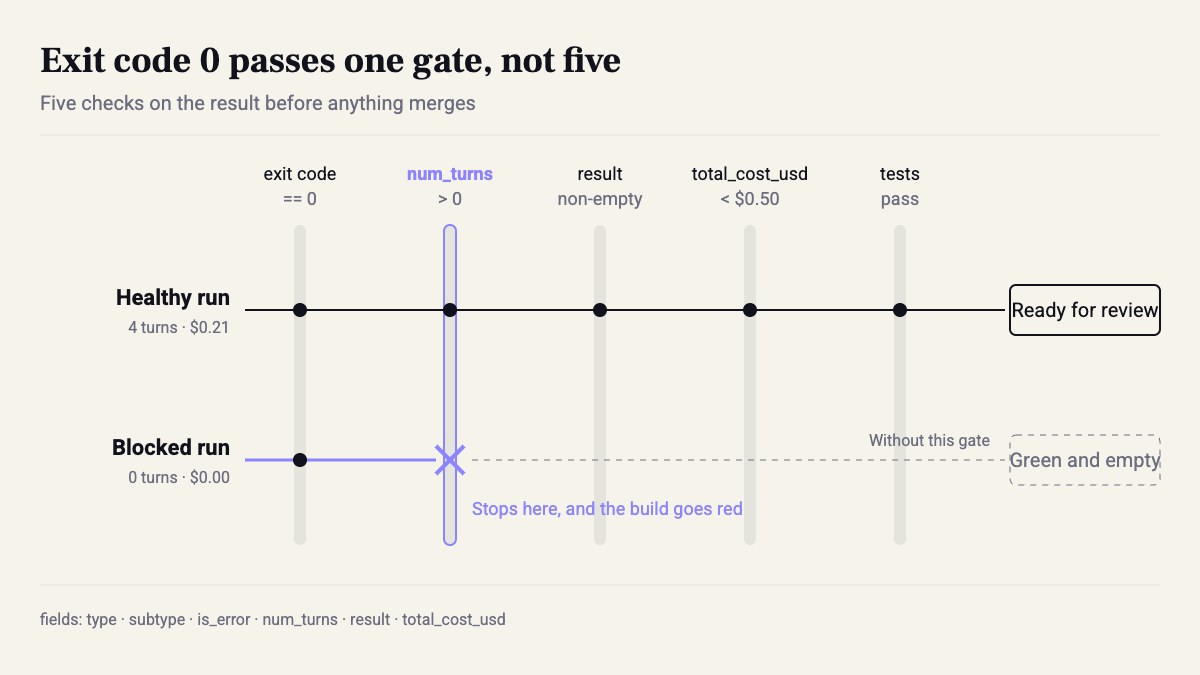
This is what’s missing most from the workflows I see. An agent run can exit 0 without doing anything: it hit max turns, got blocked on a permission, or returned an empty answer. In our daily pipeline we once had a blocked run come back with 0 and num_turns: 0. It looked green until someone opened the output.
So after every run, five checks, in this order:
#!/usr/bin/env bashset -euo pipefail
claude -p "$PROMPT" \  --output-format json \  --max-turns 8 \  --allowedTools "Read,Grep,Glob,Edit" \  > claude-result.json || true
jq -e '.subtype == "success" and .is_error == false' claude-result.jsonjq -e '.num_turns > 0' claude-result.jsonjq -e '(.result | length) > 0' claude-result.jsonjq -e '.total_cost_usd < 0.50' claude-result.jsonnpm test
jq -e returns a non-zero exit code when the expression evaluates to false or null, so every line is a gate. The || true after claude is deliberate: we don’t care what the CLI thinks of itself, we care what’s in the JSON. And the last line matters most. The best check of an agent’s work isn’t what it says in result that it did. It’s whether the tests pass on the diff it left behind.
Subscription or API, and a cap that stops before the invoice
The installer asks how you pay, and there are two answers.
Subscription (Pro or Max). Run claude setup-token to get a long-lived token, store it in a secret named CLAUDE_CODE_OAUTH_TOKEN and pass it to the Action as claude_code_oauth_token. Runs come out of your subscription quota, so CI and your laptop share the same limits. For a personal repo or a team of two, that’s a good deal.
API key. ANTHROPIC_API_KEY, pay per token, and every run shows up on the bill. For a team, an org, or anything that runs on every PR, this is the right choice: separate limits, someone owns the bill, and you have something to measure. Either way the JSON returns total_cost_usd. On a subscription, treat it as a metric, not an invoice.
The caps, from innermost to outermost: --max-turns stops turns. --max-budget-usd (max_budget_usd in the SDK) stops when cumulative cost passes an amount. timeout-minutes in the workflow kills the job. And a spend limit in the Anthropic console is the last safety net. In practice, set all of them, because one day one of them will miss.
My take: on a team, use an API key per repo, not someone’s subscription token. When that person leaves, the token leaves with them, and CI fails overnight with nobody understanding why.
What to do this week
- Open GitHub code search with
path:.github/workflows anthropics/claude-code-actionand read three workflows from public projects before you write your own. - Start read-only:
--allowedTools "Read,Grep,Glob"and a prompt that only comments on the PR. It gets Edit and Bash after a week with no surprises. - Add
concurrencykeyed on the PR number, so three@claudecomments in a row don’t start three runs writing to the same branch. - Save
claude-result.jsonas an artifact on every run. After 20 runs you have an averagenum_turnsandtotal_cost_usd, and you set max-turns and the budget from that, not from a guess.
The agent in CI doesn’t need to be smarter than the one in your terminal. It needs to be checked more.
Sources
How this was made: drafted by our agent from 4 sources, edited and approved by Koby Almog.